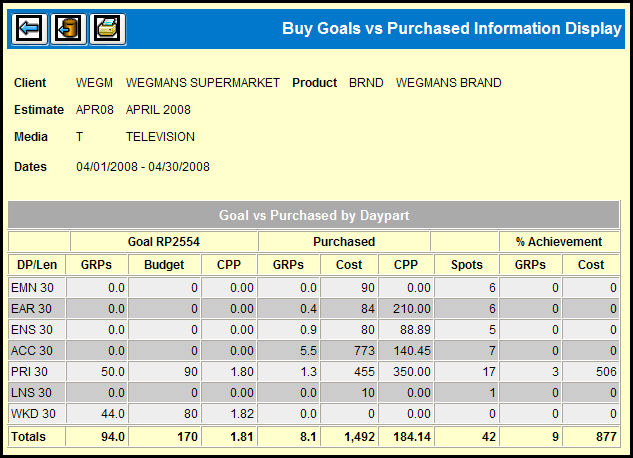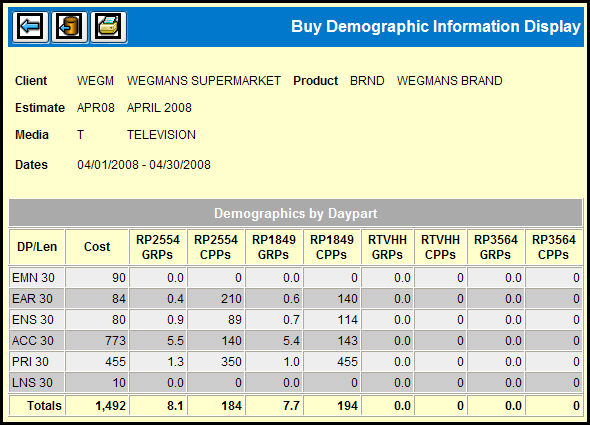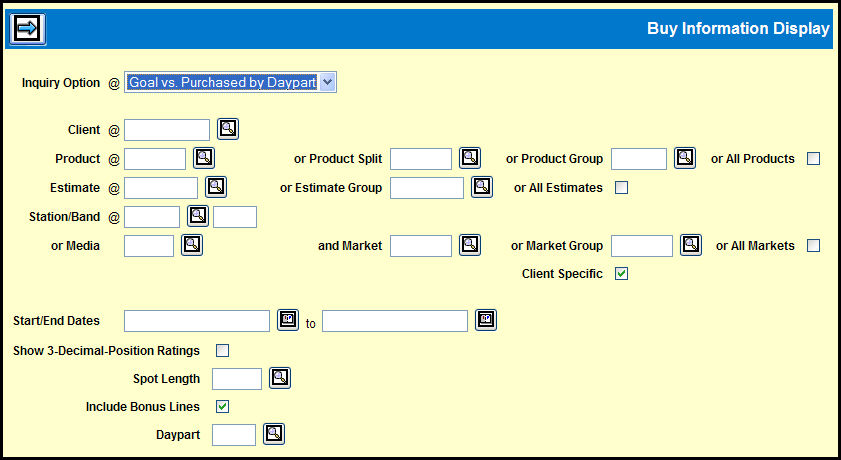
To create an online display, select Planning & Buying | Buy Information Display.
Buy Information Display Window
Select one of the available Buy Information Display formats from the Inquiry Option drop down list.
Key the Client.
Key a Product, Product Split, Product Group, or select the All Products check box.
Key a Estimate, Estimate Group, or select the All Estimates check box.
Key a Station and Band code.
-OR-
Key a Media code and specify a Market, a Market Group, or select the All Markets check box.
The default configuration is to show ratings to one decimal place. To display ratings with three decimal places, select the Show 3-Decimal-Position Ratings check box.
To narrow the display, key a Spot Length.
To omit bonus lines, clear the Include Bonus Lines check box.
To narrow the displayed information to one daypart, key the Daypart code.
Click the Next icon to view the selected display.
To print the display, click the Print icon and select Landscape orientation.
To save the data in the display to a CSV file, click the Save as CSV icon. For more information, see Saving to CSV.