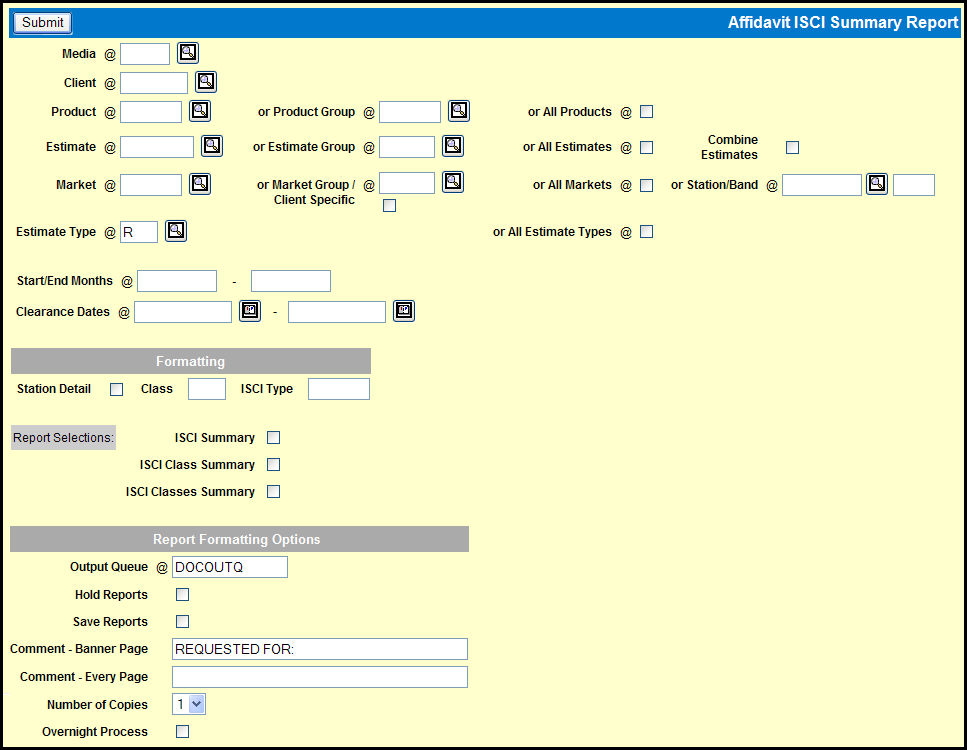
To create this report, select Traffic | Affidavit ISCI Summary Report.
Affidavit ISCI Summary Report Window
Key the Media and Client.
Key the Product, Product Group, or select the All Products check box.
Key an Estimate, Estimate Group, or select the All Estimates check box.
Key a Market, Market Group, or select the All Markets check box. Alternatively, you can key in a Station/Band combination.
Key in an Estimate Type or select the All Estimate Types check box.
Key in the dates for the Start Month and the End Month.
Key in the dates for the beginning and ending Clearance Dates.
Choose your preferred Formatting selections.
Choose your preferred Report Formatting Options.
Click the <Submit> button.
Click the Reports icon in the MediaBank A|V toolbar to display the View Spool File window where you can access your report.