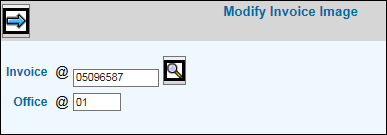
Select Miscellaneous Reports|Modify Invoice Image.
Key or select the applicable Invoice number to which you want to make changes then key the posting Office. You may also make invoice image changes to invoices related to Master Jobs (jobs that are to be billed together on one invoice). Key the Invoice related to the Master Job.
Click the Next icon  to display the specified invoice.
Make changes and/or click <Billing Address> to display a window where you may override the billing address that was set up in the Client Profile and if applicable, the Job Master File. Changes made on this window affect the future presentation of the selected invoice(s) only; changes do not update the Client Profile or the Job Master File.
Make changes then click the Save icon  .
.
To print the invoice, refer to Invoice Reprint.