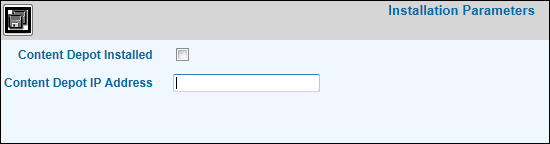
Installation Parameters
This option is used to set up the IP (Internet Protocol) address that
is used in conjunction with Content Depot. Content Depot is our Digital
Asset Management System designed for any business or organization that
manages or utilizes digital assets. Digital assets include but are not
limited to: Video, Audio, Graphics, and Documents. After setting up the
IP address, you must set up an user ID and password that is required to
logon to the Content Depot System. Refer to Content
Depot Signon Setup.
If you are not a Content Depot user and would like to learn more about
Content Depot, contact your Account Rep.
Select Admin|Installation
Parameters.
Installation
Parameters Window
Click the Content Depot Installed box to show a checkmark.
Key the Content Depot IP
Address which will be made available upon installation.