If you are not a Content Depot user and would like to learn more about Content Depot, click Content Management on Mediaplex System's web site.
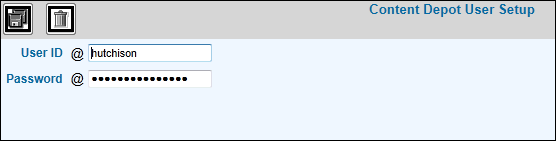
Select Admin|Content Depot Signon Setup.
Content Depot Signon Setup Prompt
Key the identification code of the user who will be performing Content Depot functions then key a password for the user. You may use the same User ID as the one used to logon to the browser or server.
Click the Save icon  .
A Search Content Depot link will display where Content Depot is applicable
in the system. When the user clicks this link, a Logon Window displays.
The user will key this ID and Password to log into the Content Depot
System.
.
A Search Content Depot link will display where Content Depot is applicable
in the system. When the user clicks this link, a Logon Window displays.
The user will key this ID and Password to log into the Content Depot
System.