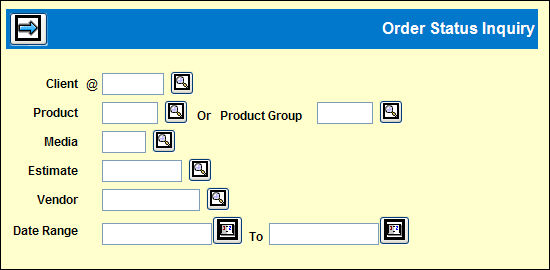
Order Status Inquiry Prompt Window
Client is the only required code.
You may specify Product or Product Group, Media, Estimate, Vendor and/or an order Date Range to limit the Detail Window display.
If you want to limit the collection of information by order date range, use the Calendar icon or key dates using one of these formats: MMDDYY, MMDDYYYY, or MM/DD/YYYY. Hyphens are not valid for date entry.
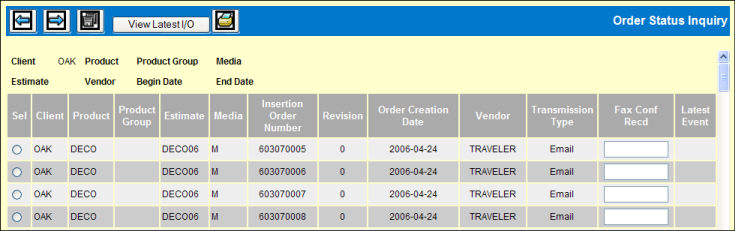
Order Status Inquiry Detail Window
Select an Insertion Order
Use the Next icon to display the detail.
You may type in the Fax Confirm Received date in this entry field.
To retrieve the latest PDF version of an insertion order, choose an Insertion Number then click the <View Latest I/O> button to view/print the latest PDF version of that particular I/O. Refer to Insertion Order Inquiry for Insertion Order Reprint.
Note: This feature allows the user to see the LATEST VERSION of the I/O only. If there are various revisions of an I/O, the user will not see each revision, but only the most current I/O that reflects any changes, cancellations, etc.
Click Save icon to update with your changes.