The reversal bill may be sent to the client and/or filed with the original bill as proof that an error was corrected.
When you submit the bills to be reversed, the system also generates a Client Invoice Register report that lists the reversed bills. This report is held in the designated output queue until you release it. If you are not using laser bill forms, the bills are also held in an output queue until you release them.
To reverse bills, select Media Accounting | Broadcast Media Accounting | Bill Reversal
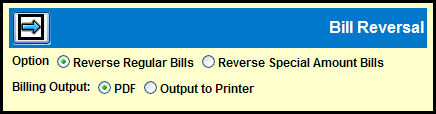
Use the Option radio buttons to select the type of bill that you want to reverse:
Reverse Regular Bills
Reverse Special Amount Bills
Use the Billing Output radio buttons to select the type of output you want to generate:
Select the PDF radio button if you want to output your bill to a PDF file.
Select the Output to Printer radio button if you want to send the bill directly to your printer.
Click the Next icon to advance to appropriate Reverse Bill Detail window.