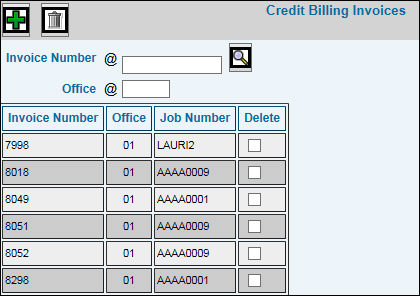
Select Billing|Credit Billing|Select Invoices.
Key or select the Invoice Number that contains the charges you wish to credit.
Key the Office in which the invoice was posted. If you selected the Invoice from the Search feature, the Office defaults into this field.
Click the Add icon  to add the selected invoice number to the list of invoices you want
to credit. The system displays a warning message if the invoice was
already paid by the client.
to add the selected invoice number to the list of invoices you want
to credit. The system displays a warning message if the invoice was
already paid by the client.