Change Print Image
Use this option to change the invoice's image while the job is in the
billing cycle. These adjustments will not affect any accounting parameters.
You may make any other adjustments as long as the tax calculations and
final total are not altered.
With the job in the billing cycle, you may display the image of the
invoice in this option so you may see which changes are needed.
It is necessary to perform this option only if you need to make changes
to the invoice image. You can also print draft invoices prior to selecting
this option to assess any change requirements.
Select Billing|Credit
Billing|Change Print Image.
Key the job number with which you want to work.
If this job was split into several invoices, key the
split number of the invoice that needs to be changed. If you leave
this field blank, the system uses 01 as the default.
Click the Next  icon
to display the Invoice Printing Changes Window.
icon
to display the Invoice Printing Changes Window.
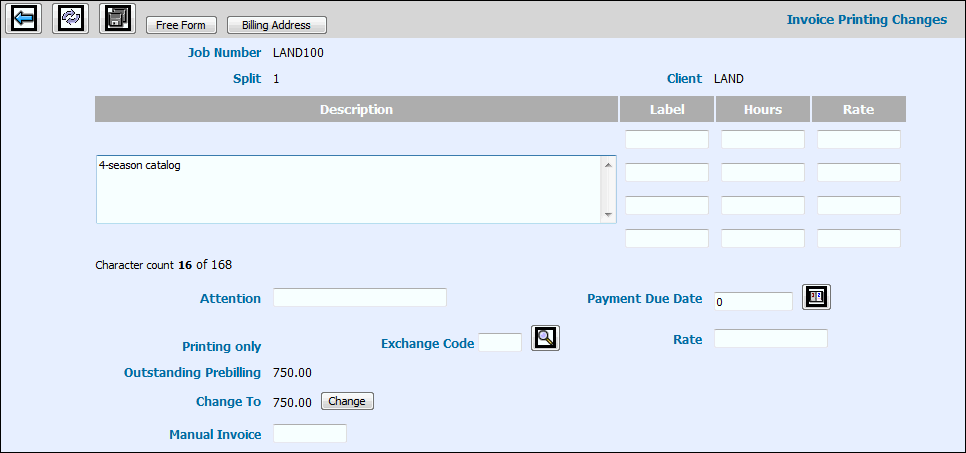
Invoice
Printing Changes Window
Key the name of the person to whose attention you
are sending the invoice in the Attention field. This name may be different
from the name set up in the Data Base.
Key the date on which the invoice is due for payment
in the Payment Due Date field.
If you want to print this invoice in a different currency,
key the Exchange Code you want to use for this invoicing.
If you want to change the exchange rate, key the new
rate in the Rate field. If you leave this field blank, the system
defaults to the rate assigned to the exchange code keyed in the Exchange
Code field.
To change the amount of the prebill, click <Change>
located by the Change To field to make this field input capable. Key
the applicable prebilling amount in the Change To field. The prebilling
amount cannot be more than the outstanding amount.
If you typed a manual invoice for this job, you may
key the manual invoice number used in the Manual Invoice field. The
system then processes this manual invoice along with computer generated
invoices.
Note:
If you use a Manual Invoice Number, be sure your manual invoice numbers
do not fall into the same series as computer generated numbers.
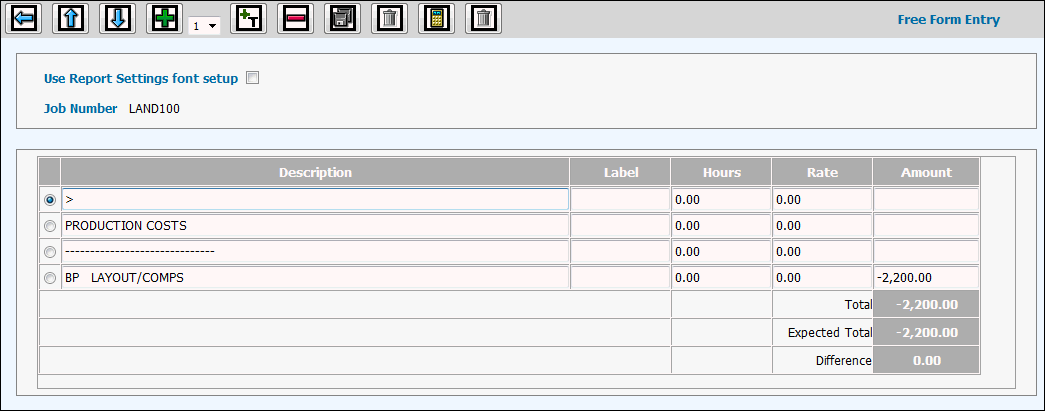
Click <Free Form> to add or change free form
entry information.
Free Form
Window
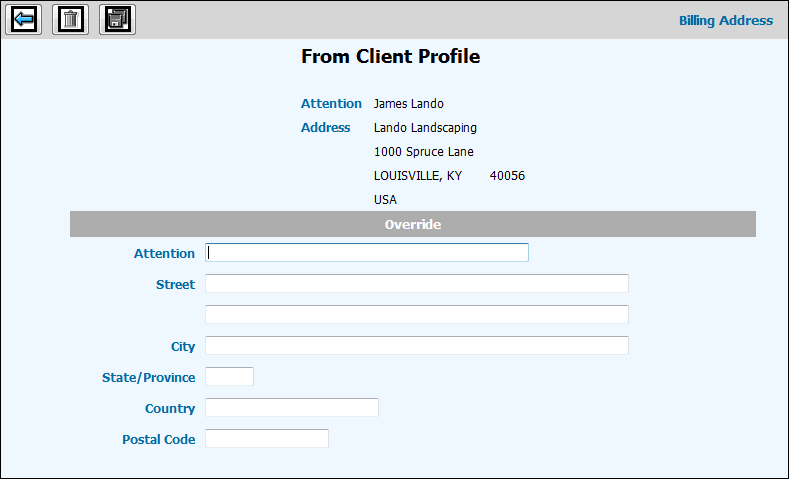
Click <Billing Address> to override the billing
address set up in the Client Profile. This is a temporary change only.
Billing
Address Window
Click the Save icon  when finished making changes.