Select Financials|1099|Maintain 1099 Transmitters.
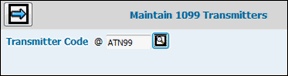
Maintain 1099 Transmitters Prompt
Key or select the code assigned by the IRS to the transmitter in the Transmitter Code field.
Click the Next icon to display the Maintain 1099 Transmitters Detail Window.
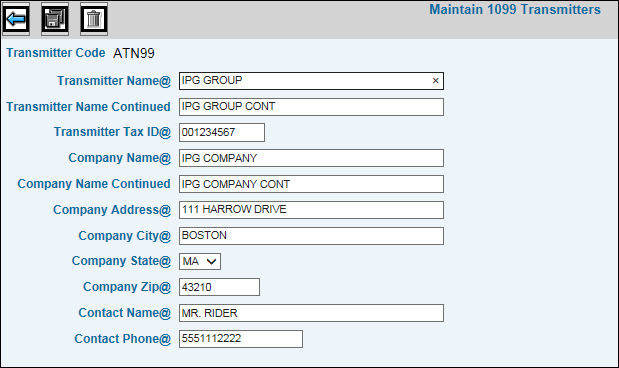
Maintain 1099 Transmitters Detail Window
Key the name associated with the transmitter code in the Transmitter Name fields.
Key a valid transmitter tax ID number in the Transmitter Tax ID field.
Key the person or organization submitting electronic media file(s) in the Company Name fields. This may be the payer or agent of the payer.
The Company Name, Company Address, Company City, Company State and Company Zip code are required if the payer and transmitter are not the same.
Key the Contact Name and Phone/Ext number.
To delete transmitter information, click the Delete icon. Note: You cannot delete transmitter information if it has already been assigned to a payer.
When finished, click the Save icon.