The Traffic Gauge allows you to view a list of estimates/markets that have been purchased as well as allow you to determine the status on any Traffic Instructions the table contains the following headings Media, Client, Product, Estimate, Estimate Description, Start/End Dates, Market Code and Market Description. You'll also find a column labeled Entered? which will display either a Y (yes) or N (no) depending on the status of the associated traffic Instructions.
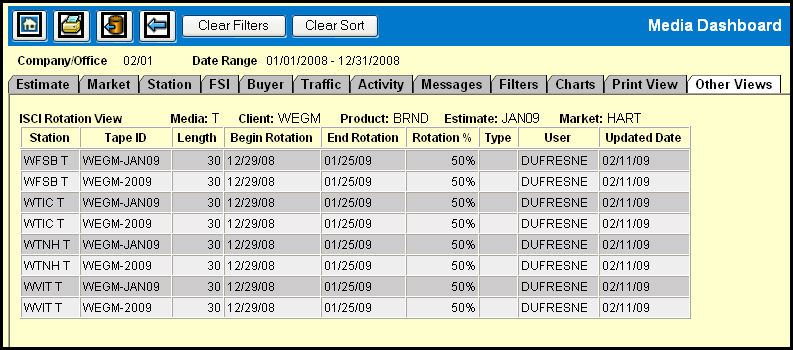
If Traffic Instructions have been entered, a Y will appear in the Entered column and it will be a link that when clicked will pull traffic data for that market and display the ISCI Rotation View on the Other Views tab.
The ISCI Rotation View displays the Station, ISCI Code/Tape ID, Length, Begin/End Rotation dates, Rotation %, the User who entered the instructions, and the Updated Date.
Having the Station column first in the ISCI Rotation View table makes it easy to tell at a glance which ISCI codes are associated with each station defined with ISCI Rotations. In addition, the table will be automatically sorted by Station.