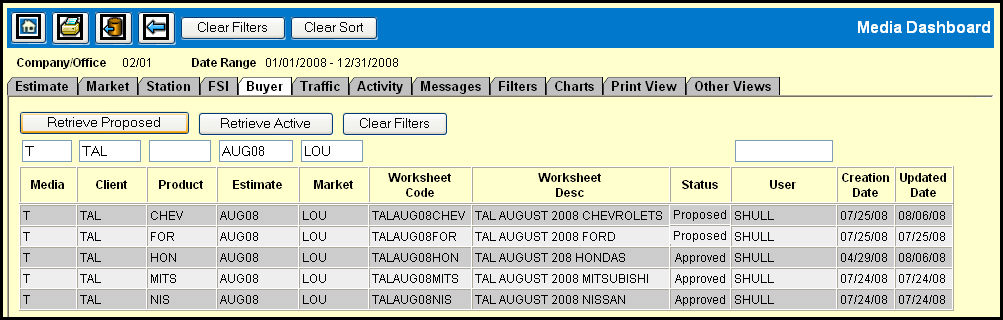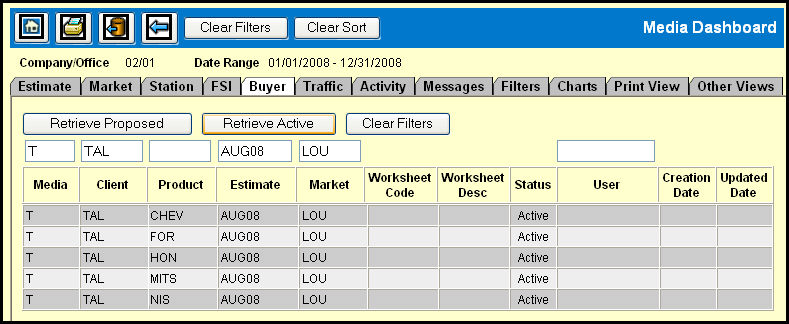
Using the Buyer Gauge, managers or media directors can quickly ascertain which media buyer purchased a given market. An easy-to-read display shows you who created a worksheet, its status (proposed or active) as well as when it was created and the last date it was updated. You can retrieve proposed or active buys by clicking the appropriate buttons.
When you access the Buyer Gauge, you'll find Media, Client, Product, Estimate, Market and User ID filter fields that you can use to specify the buy that you want to view.
To retrieve proposed buys:
You can fill in any or none of the fields.
Click the Retrieve Proposed button.
To retrieve active buys:
You must at least fill in the Media, Client, and Market fields.
Click the Retrieve Active button.
Note: The User, Creation Date, and Updated Date fields will populate only when retrieving proposed buys.
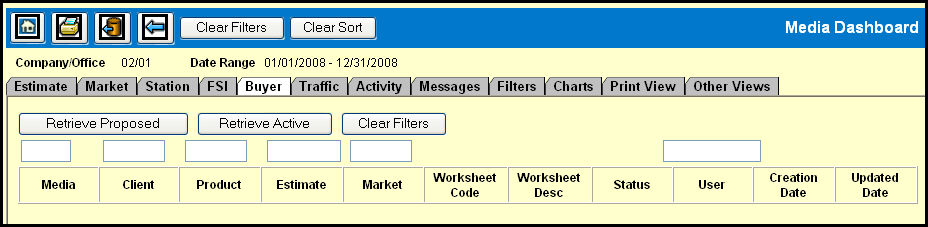
To clear the filters:
Click the Clear Filters button to clear the filter
fields.
When you do, the data retrieved will remain in the table until you
specify new filters and retrieve a new set of proposed or active buys.