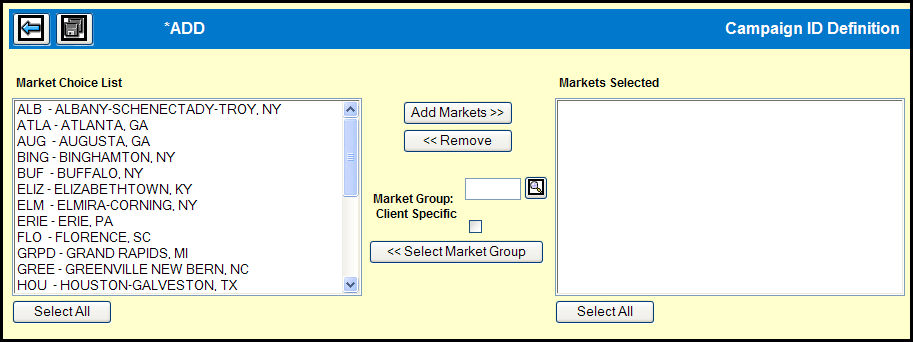
When you define a Campaign ID for a product estimate, you may optionally specify which markets are valid for that product estimate. This prevents any buys from being entered for any markets not specified on the Campaign ID.
To assign markets to the Campaign ID in the Campaign ID Definition window, click the Markets button.
Select one or more markets in the Market Choice List.
Select only those markets in a Market Group.
Click the Add Markets>> button to add the selected markets to the Markets Selected list.
To remove one or more markets from the Markets Selected box.
Once you are satisfied with the list of markets in the Markets Selected box click the Save icon to assign these markets to the Campaign ID.